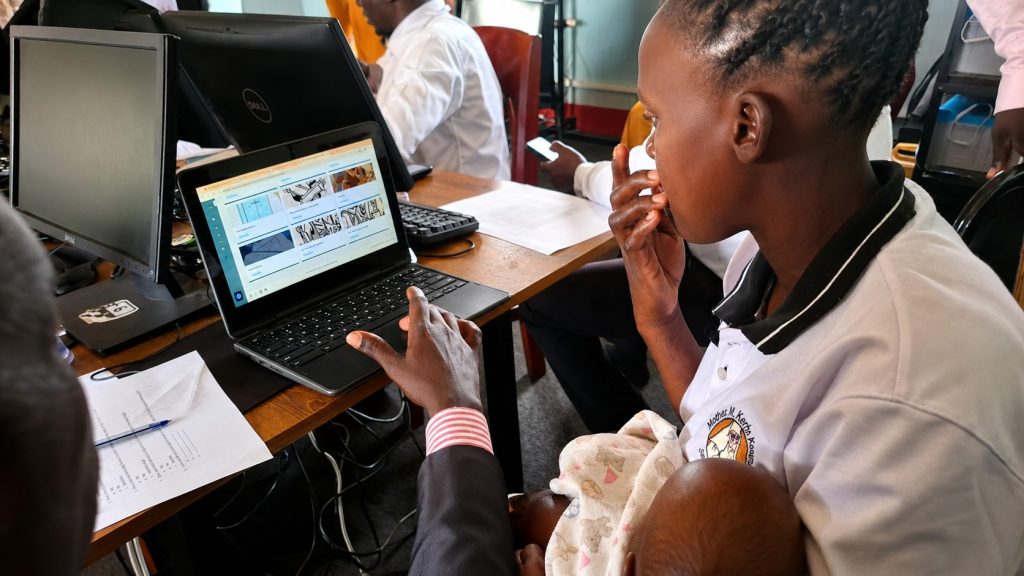
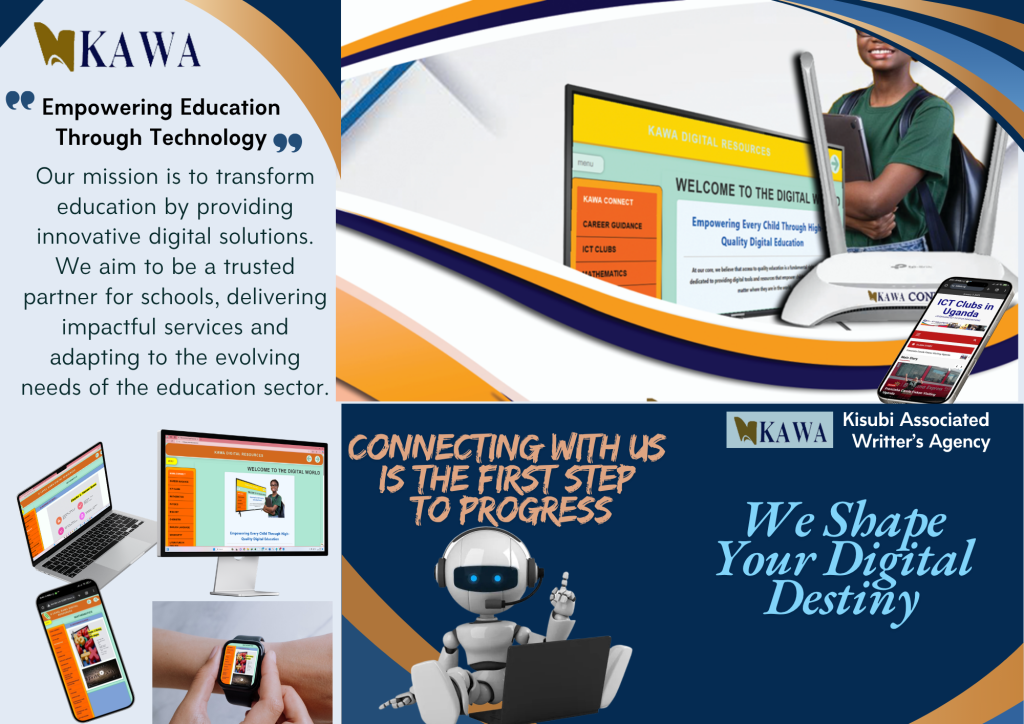
Digital Learning That Works Online and Offline
KAWA Connect helps Ugandan schools organise and provide educational content through computer laboratories, classrooms, and local school networks—giving teachers and learners access to structured notes, presentations, videos, and activities without depending entirely on continuous internet connectivity.
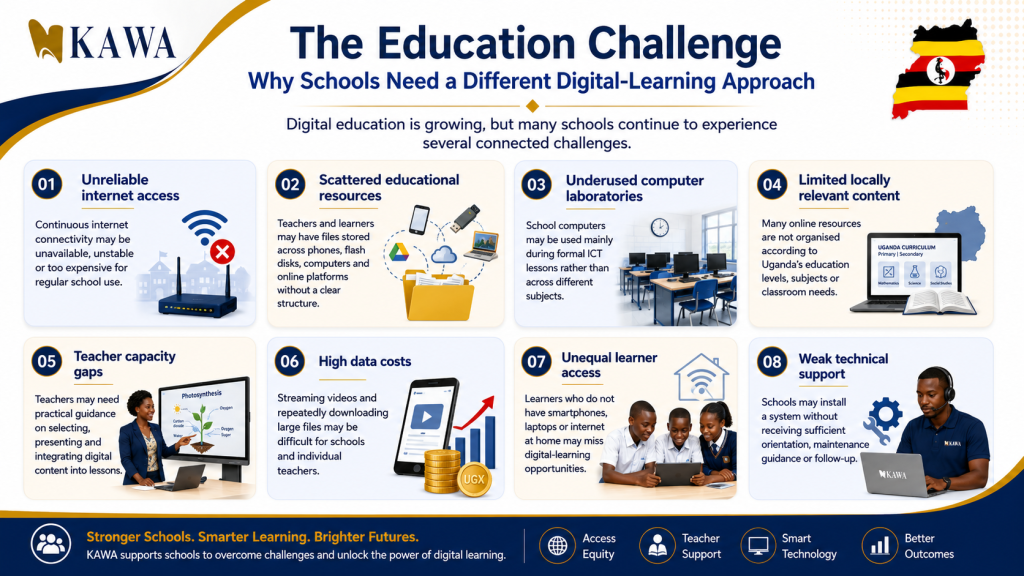
The Educational Challenge
Why do computer laboratories remain idle outside ICT classes?
- Scattered Teaching Files: Resources are lost across flash drives and personal phones.
- Prohibitive Internet Costs: Frequent data bundle renewals make recurring online classes expensive.
- Teacher Confidence Gaps: Educators need clear, syllabus-mapped structures they can teach with immediately.
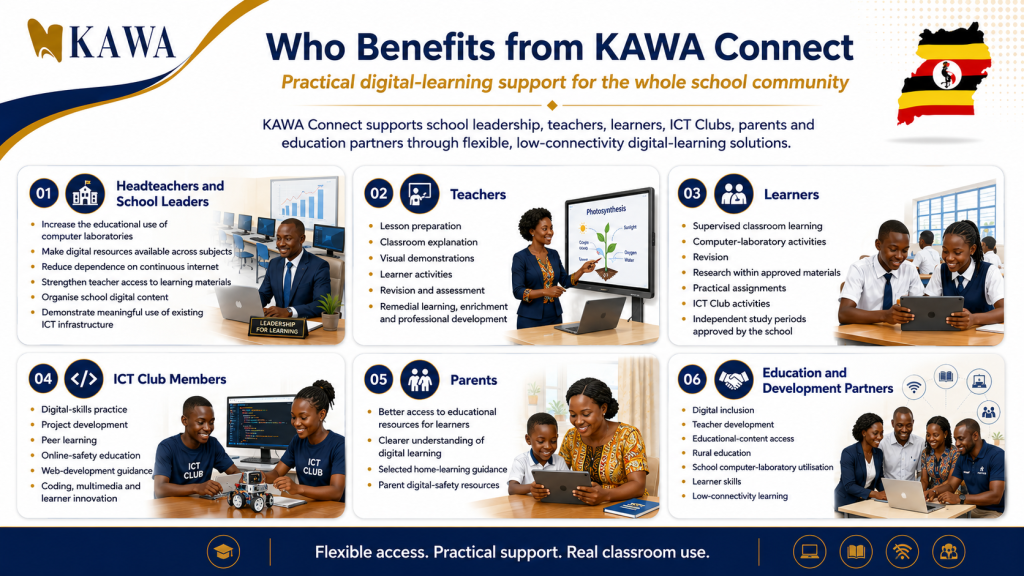
Nine Core Benefits of KAWA Connect
Engineered specifically for the infrastructural realities of Ugandan primary and secondary institutions.
1. Works Without Continuous Internet
Once installed on a school network or local server, teachers and learners access materials without burning data bundles or facing slow load times.
2. Uses Existing Equipment
Compatible with your school’s existing desktop computers, laptops, projectors, tablets, local routers, and servers.
3. Structured Content Hierarchy
No messy folders. Materials are indexed systematically: Level → Class → Subject → Topic → Resource.
4. Multi-Format Learning
Includes structured notes, visual presentations, short videos, audio guides, interactive assessments, and downloadable worksheets.
5. Supports & Empowers Teachers
The system does not replace teachers; it equips them with ready lesson aids, allowing them to focus on explanation, discussion, and learner feedback.
6. Cross-Curricular Scope
Opens the lab to Mathematics, Biology, Chemistry, Physics, Geography, English, Agriculture, Entrepreneurship, and CRE/IRE.
7. Ugandan Context & Relevance
Co-developed with Ugandan subject teachers to reflect national curriculum competencies, local examples, and real school scenarios.
8. Regular Version Updates
Content is continuously reviewed, updated, and expanded based on syllabus changes and classroom user feedback.
9. Connected to KAWA Programmes
Schools benefit from our wider teacher training workshops, ICT Clubs mentorship, and computer lab sustainability frameworks.
KAWA Connect Content Structure
Explore curriculum-supporting resources across all levels of education.
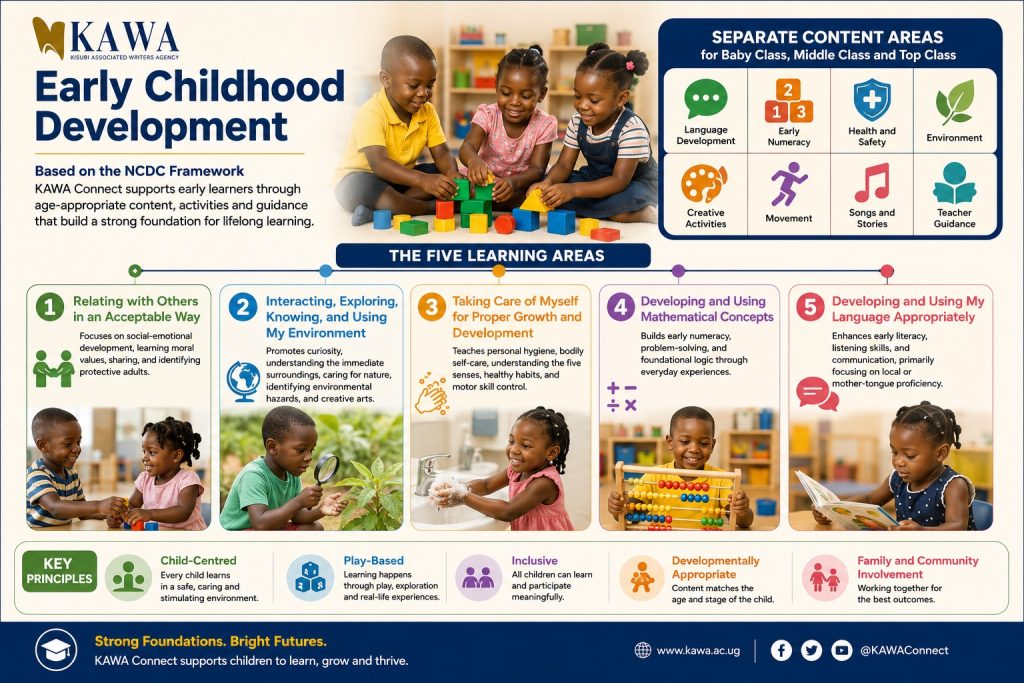
Early Childhood Development (ECD)
Visual, story-based, and activity-driven content for early learning environments.
- Early literacy, phonics, and language games
- Foundational numeracy and shape identification
- Health habits, personal hygiene, and safety songs
- Environmental exploration and creative movement guides
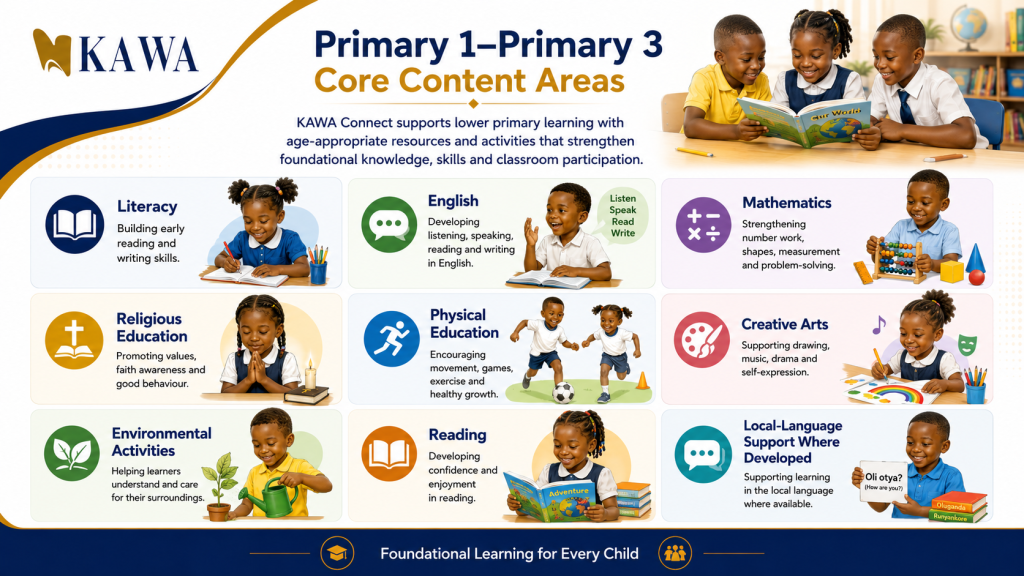
Primary 1 – Primary 3 (Thematic Curriculum)
Designed to support early reading fluency and foundational arithmetic with culturally familiar illustrations.
- Literacy I & Literacy II decks
- Primary Mathematics problem sets & counting visuals
- Religious Education, Creative Arts, and Physical Education
- Local language reading aids where applicable
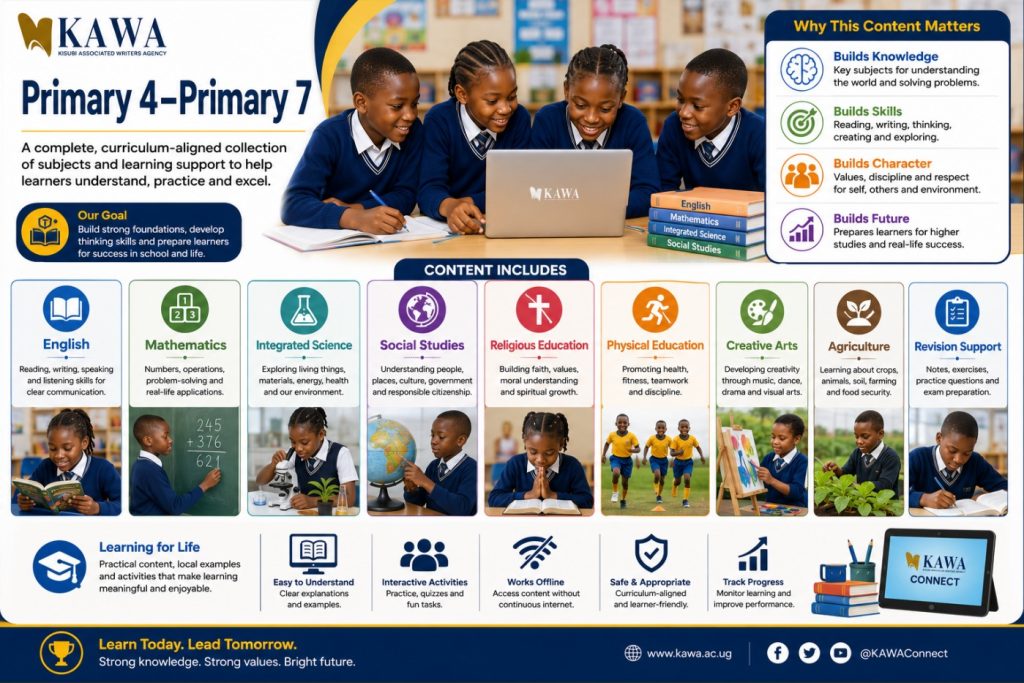
Primary 4 – Primary 7
Comprehensive subject coverage preparing learners for classroom mastery and national examinations.
- Integrated Science: Systems, agriculture, hygiene, and energy
- Social Studies: Ugandan and East African history, geography, and civic life
- Mathematics & English: Step-by-step problem breakdowns and guided comprehension
- Downloadable teacher assessment worksheets and revision decks
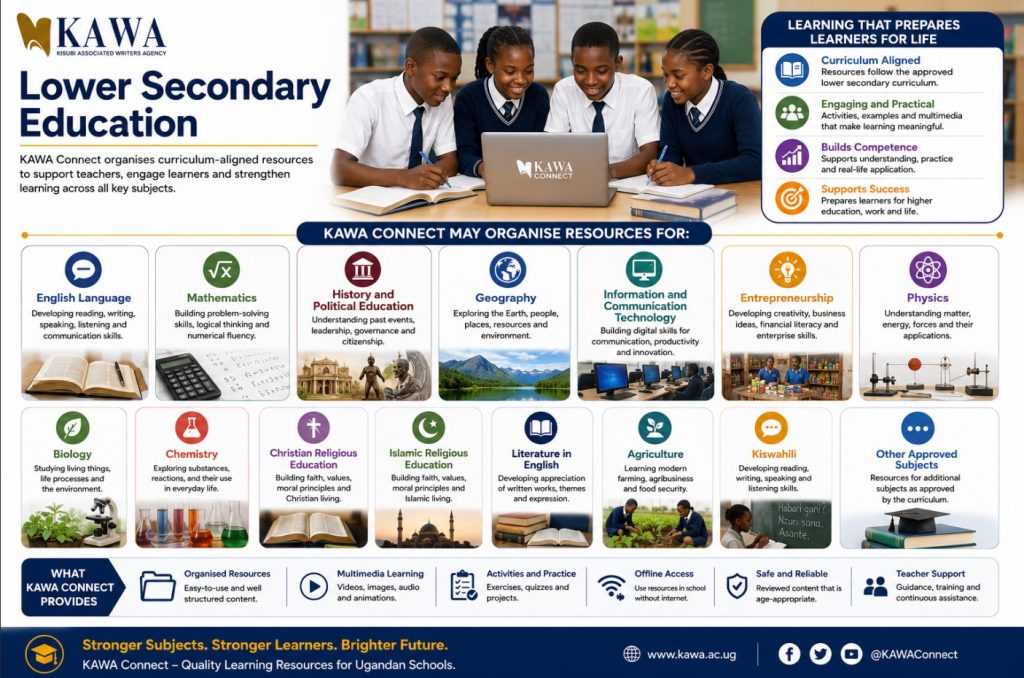
Competency-Based Lower Secondary (S1–S4)
Fully aligned with Uganda’s revised lower secondary curriculum, emphasizing learner activities and practical scenarios.
- Sciences: Physics, Chemistry, and Biology experiments and concepts
- ICT & Computing: Word processing, spreadsheets, internet safety, and hardware care
- Humanities & Vocations: Geography, History, Entrepreneurship, and Agriculture
- Scenario-based projects, formative assessments, and group activities
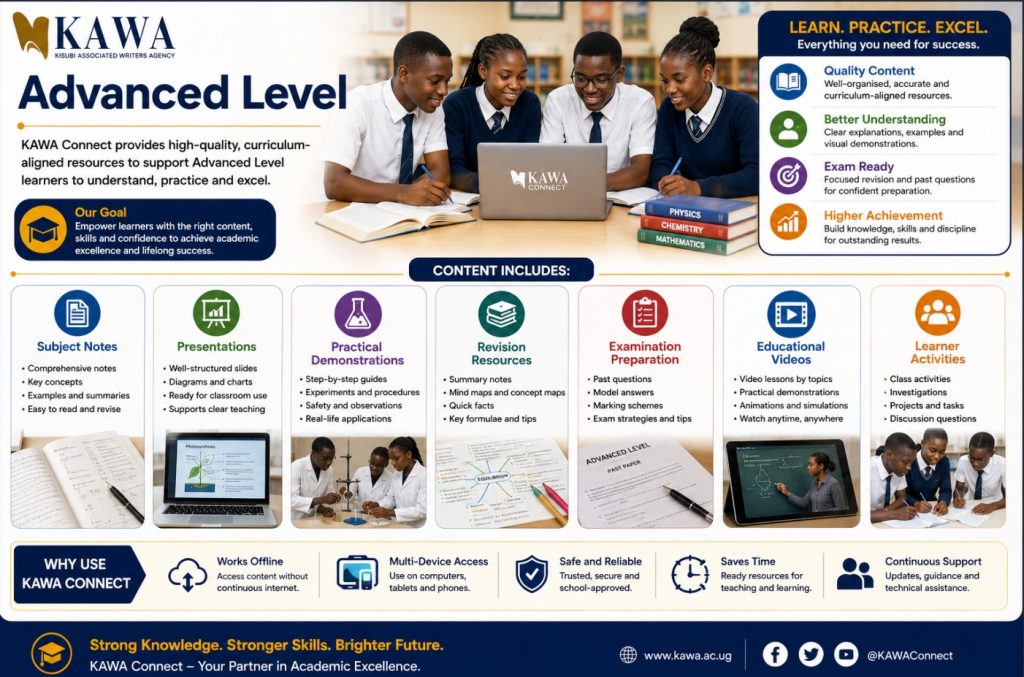
Advanced Level Secondary (S5–S6)
Advanced conceptual notes, practical demonstration videos, and examination preparation resources.
- In-depth subject notes for Principal Arts and Science subjects
- Sub-math and Subsidiary ICT digital exercise modules
- Practical science guides and step-by-step calculation videos
Teacher Development & ICT Clubs
Equipping educators and student innovators with 21st-century digital competencies.
- Teacher CPD: Digital lesson planning, classroom management, and responsible AI prompting
- ICT Clubs: Web design, coding, robotics, digital entrepreneurship, and project development
- Safety & Sustainability: Computer lab hygiene, fault reporting, and online child protection
Connect with Student Innovations
Empower students to solve real school and community challenges through supervised ICT Club projects.
How KAWA Connect Works
Our structured 6-step implementation pathway ensures smooth school adoption.
School Enquiry
The school contacts KAWA with details about its learner population, teachers, device count, and priority subjects.
Readiness Assessment
We evaluate your hardware condition, local network, power supply, and teacher digital baseline skills.
Deployment Proposal
KAWA proposes the appropriate package, storage setup, delivery architecture, and orientation schedule.
Installation & Setup
Content is installed on your local server, network, or lab workstations and thoroughly tested.
Teacher Orientation
Hands-on training for teachers on navigating topics, integrating media into lessons, and managing class access.
Follow-Up & Updates
Regular check-ins to monitor usage, address technical needs, and provide scheduled content updates.
Flexible Deployment Options
Configured to match your school’s exact infrastructure and technical readiness.
Option 1: Local School Hotspot
Teachers and learners connect devices wirelessly to a local access point—zero internet data consumed.
Best for: Tablets, laptops, and labs.
Option 2: Local School Server
Hosted on a dedicated school master PC and delivered smoothly over LAN cable or local router.
Best for: Multi-user computer laboratories.
Option 3: Standalone Installation
Installed directly onto individual desktop hard drives for schools without an internal network.
Best for: Small labs or isolated PCs.
Option 4: USB / External Storage
Encrypted portable drives used for secure content transfer, backup, and official updates.
Best for: Routine termly updates.
Option 5: Memory Cards
Pre-loaded microSD cards for compatible tablets and offline portable e-readers.
Best for: Mobile tablet carts.
Option 6: Online Portal Access
Cloud-hosted web access for connected schools, teacher home prep, and remote updates.
Best for: Teachers & connected institutions.
Active Classroom Teaching Flow
KAWA Connect supports active lessons—not passive screen-watching.
Teacher browses the topic, selects video pauses/diagrams, and prints or stages guided questions.
Teacher projects visual slides, pauses for student prediction, and guides hands-on student lab activity.
Learners complete digital exercises or practical tasks; teachers log resource feedback.
School Leadership Monitoring Indicators
| Monitoring Area | Key Indicator |
|---|---|
| Teacher Capacity | Number of teachers oriented & actively planning with content |
| Subject Breadth | Number of departments utilising the laboratory weekly |
| Learner Usage | Supervised learner practical sessions conducted |
| Lab Health | Functional computer ratio and uptime logs |
School Implementation Packages
Transparent packages tailored for primary, secondary, and network-wide deployments.
Essential Package
For small or emerging schools starting their digital journey.
- Selected core subject packages
- Local workstation installation
- User navigation guide
- Initial teacher orientation
- Standard remote support
Standard School Package
For schools with functional laboratories seeking broad adoption.
- Complete primary or secondary library
- Local Wi-Fi / LAN hotspot setup
- Comprehensive teacher training
- ICT Club mentorship starters
- Termly updates and check-ins
Whole-School Transformation
For multi-level institutions, districts, and partner programmes.
- Full multi-level content repository
- School server configuration & backup
- Leadership governance training
- Lab sustainability systems
- Dedicated account manager & M&E
See KAWA Connect in Action
Experience how simple it is to navigate topics, run animations, and guide students offline before making a commitment.
Case Study: Moving from Inactive PCs to Daily Learning
Challenge: 25 functional desktop computers sat locked outside of scheduled computer studies classes.
Action: KAWA installed the offline secondary library and conducted a 1-day multi-department orientation.
Result: 8 academic departments now book the lab weekly for visual sciences, geography simulations, and math problem-solving.
What Educators & Learners Say
Authentic feedback from schools actively using KAWA Connect across Uganda.
“Instead of spending my evenings searching through unrelated websites, I can open the exact class, subject, and topic on our school network and choose the right illustration for my lesson.”
“KAWA Connect has helped us protect our operational budget. We no longer buy costly daily data bundles to access high-quality educational videos and past questions.”
“The diagrams and videos help me clearly see how organs and chemical processes work after our teacher explains the concepts on the chalkboard.”
“Our ICT Club members now use the platform resources during lunch hours for peer learning, project research, and building local innovations.”
Frequently Asked Questions
Clear answers regarding installation, licensing, and offline operations.
No. KAWA Connect is engineered to run locally over your school’s offline computer network, local server, or standalone hard drives with zero recurring internet data costs.
KAWA Connect is primarily a digital content, installation, and teacher support system that operates on your existing equipment. However, hardware supply or server provision can be quoted separately through partner programmes.
Yes. Content is co-created with practicing Ugandan educators and structured to support the competencies and topic breakdowns of the National Curriculum Development Centre (NCDC).
Updates are delivered during scheduled termly support visits via secure external storage or synced when an internet-enabled administrator workstation connects to the network.
Yes. If your school deploys a local Wi-Fi hotspot, compatible learner tablets and teacher smartphones can access the platform locally without connecting to the public internet.
Request KAWA Connect for Your School
Fill out this form to schedule a demonstration, request an assessment, or receive a formal quotation.