KAWA Connect

Digital Learning That Works Online and Offline

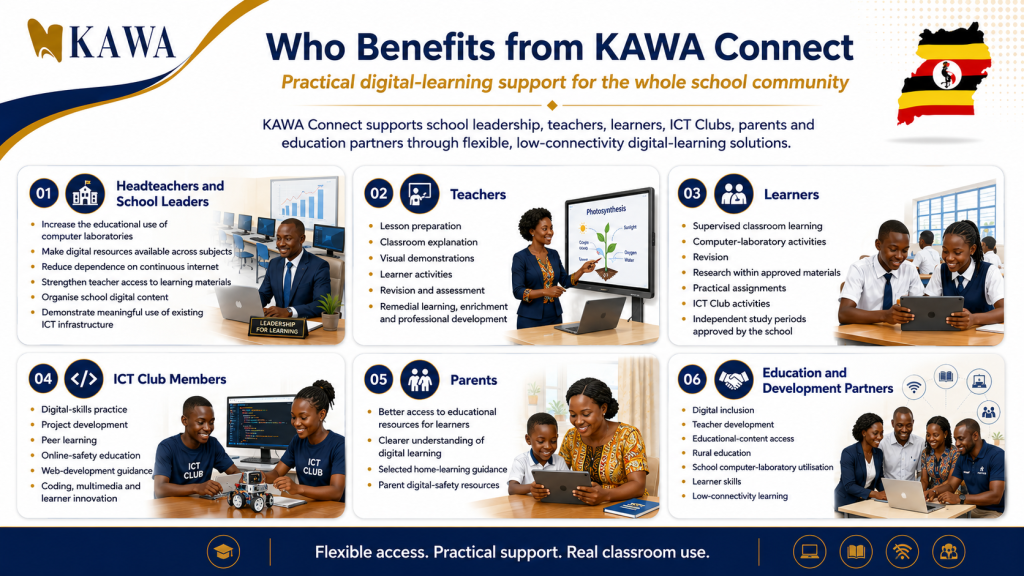
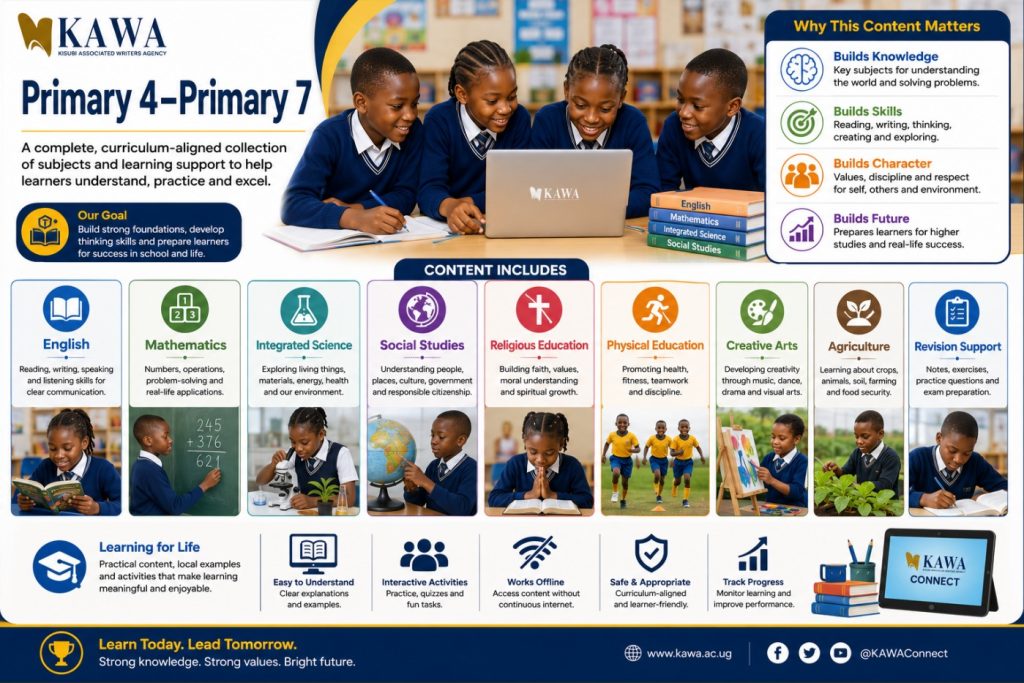
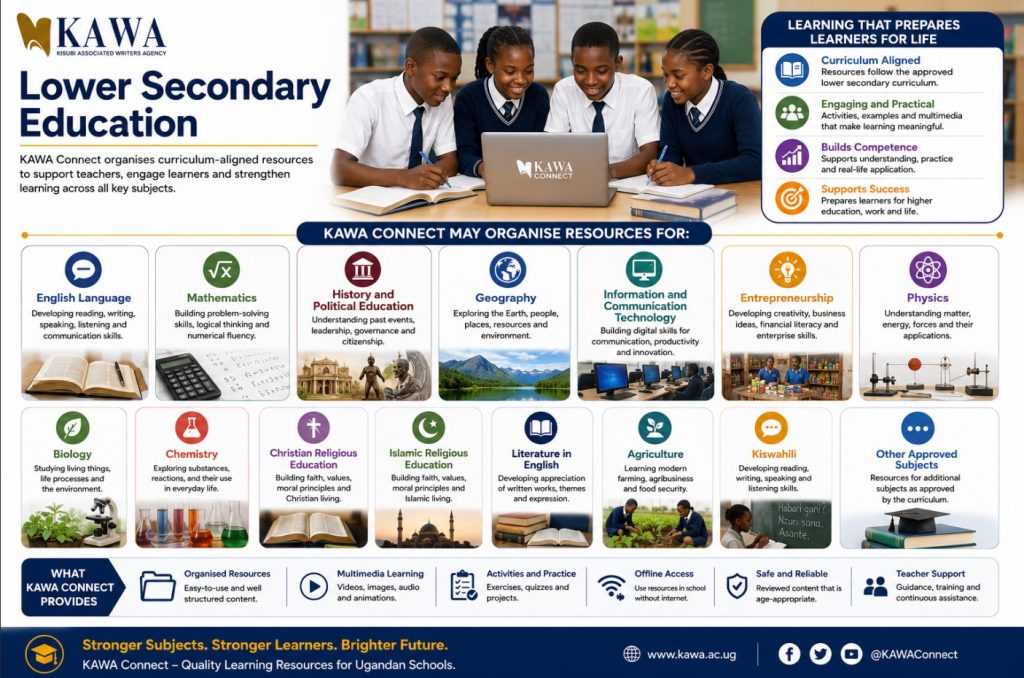
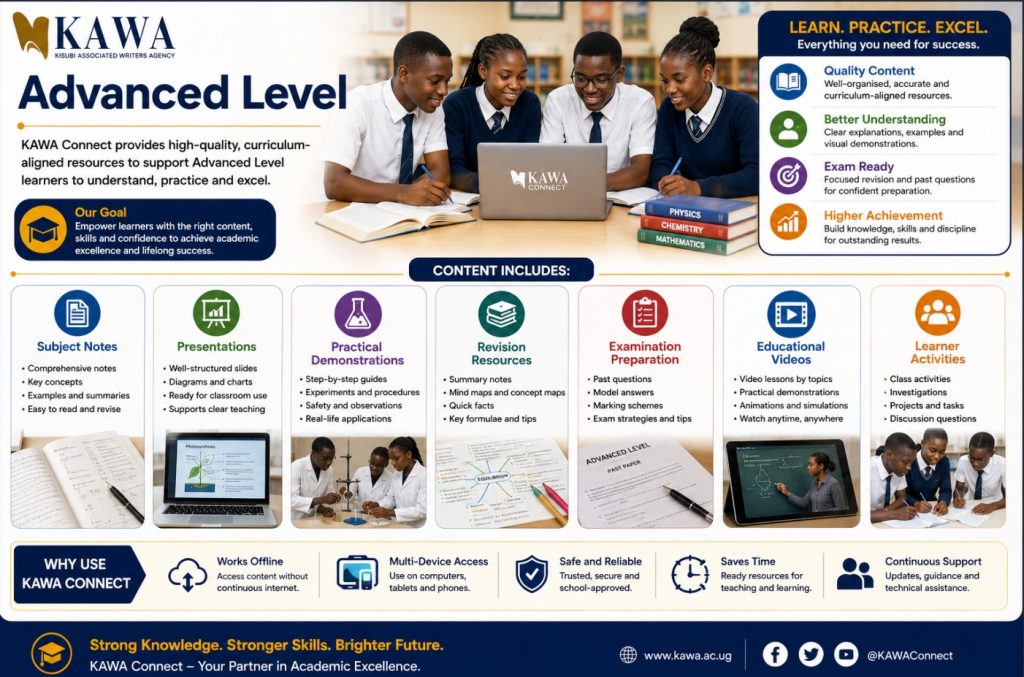
KAWA Connect is a locally developed digital-learning solution that helps Ugandan schools organise and provide educational content through computer laboratories, classrooms and local school networks. It gives teachers and learners access to structured notes, presentations, educational videos, illustrations, activities and revision resources without depending entirely on continuous internet connectivity.
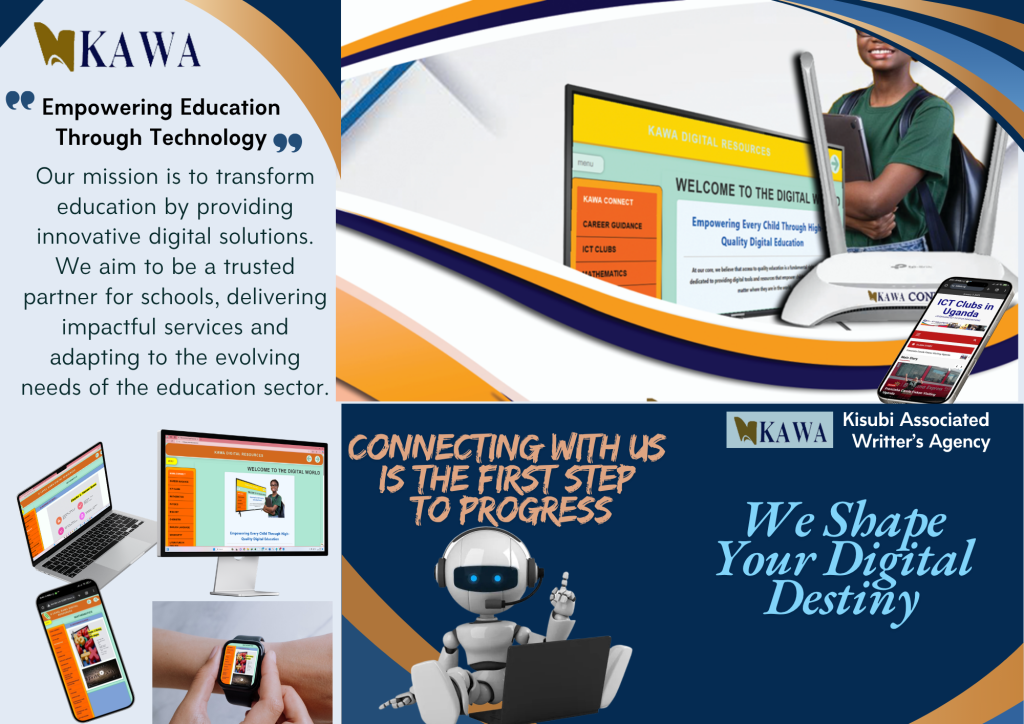
Making Existing School Technology More Useful

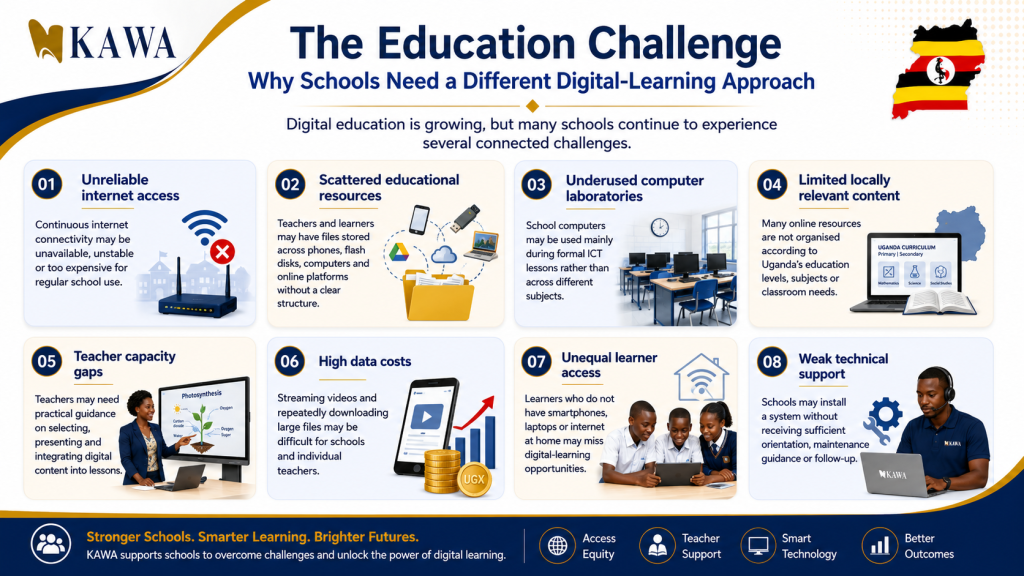
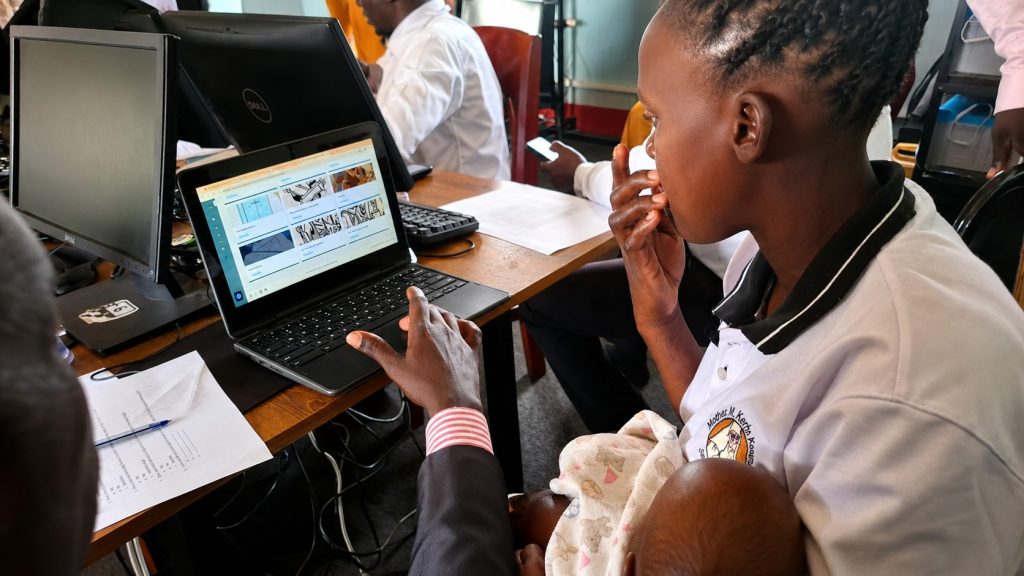
Many schools already have computers, projectors, tablets or other digital equipment. However, these resources may remain underused when teachers lack organised educational content, reliable internet access or continued technical support. KAWA Connect helps schools turn existing technology into a practical learning resource.

It brings educational materials together in one organised system that can support lesson preparation, classroom teaching, computer-laboratory activities, revision and independent learning.

KAWA Connect

KAWA Connect helps schools move from owning computers to using them regularly for education.

The KAWA Connect Solution: One Organised Digital-Learning Environment

KAWA Connect brings educational content together in a structured, school-friendly system. Content is organised according to education level, class, subject and topic so that users can locate appropriate materials quickly. Depending on the school’s requirements, content may be made available through a local hotspot, school network, computer server, storage device or approved online platform. KAWA Connect is not only a collection of files. It is a digital-content system supported by training, school implementation and educational guidance.

KAWA Connect combines
  • educational content;
  • offline access;
  • school installation;
  • teacher orientation;
  • learner access;
  • technical guidance;
  • content updates;
  • and continued school support.

Main Benefits

1. Works Without Continuous Internet: Once content is installed or made available locally, users can access approved resources without repeatedly connecting to the public internet. This can help schools reduce:

  • data costs;
  • interrupted learning;
  • slow loading;
  • and dependence on individual teacher data bundles.

2. Uses Existing School Equipment: KAWA Connect can help increase the usefulness of:

  • desktop computers;
  • laptops;
  • tablets;
  • projectors;
  • school servers;
  • routers;
  • local networks;
  • and selected mobile devices.

3. Organises Educational Content: Content is arranged so that users do not have to search through hundreds of unrelated folders.

The structure may include:

Education level → Class → Subject → Topic → Resource

4. Supports Several Learning Formats: KAWA Connect can include:

  • text;
  • images;
  • diagrams;
  • presentations;
  • audio;
  • videos;
  • activities;
  • assessments;
  • downloadable worksheets;
  • and teacher guidance.

5. Supports Teachers Rather Than Replacing Them: The platform provides resources that teachers can select, explain, adapt and connect to classroom activities. The teacher remains responsible for:

  • lesson objectives;
  • explanation;
  • learner participation;
  • assessment;
  • feedback;
  • and appropriate use.

6. Expands Access Across Subjects: A computer laboratory should not be used only for teaching ICT. KAWA Connect can support:

  • Mathematics;
  • English;
  • Sciences;
  • Humanities;
  • Languages;
  • Entrepreneurship;
  • Agriculture;
  • Religious Education;
  • and other curriculum areas.

7. Provides Local Relevance: KAWA works with teachers and education specialists to develop and organise materials suitable for Ugandan schools.

8. Supports Updates: Content can be: reviewed; corrected; expanded; and updated according to curriculum needs and user feedback.

9. Connects to Wider KAWA Programmes: A school using KAWA Connect may also benefit from: teacher development; ICT Clubs; computer laboratory sustainability; online learning; learner innovation; and school follow-up.

KAWA Connect Content Structure

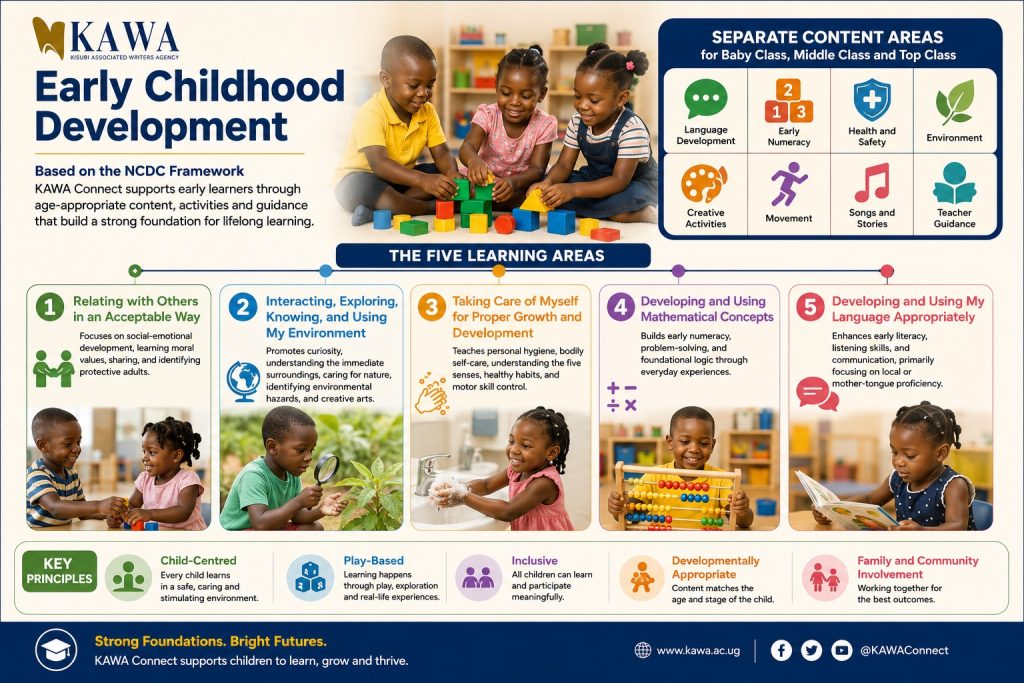
Early Childhood Development

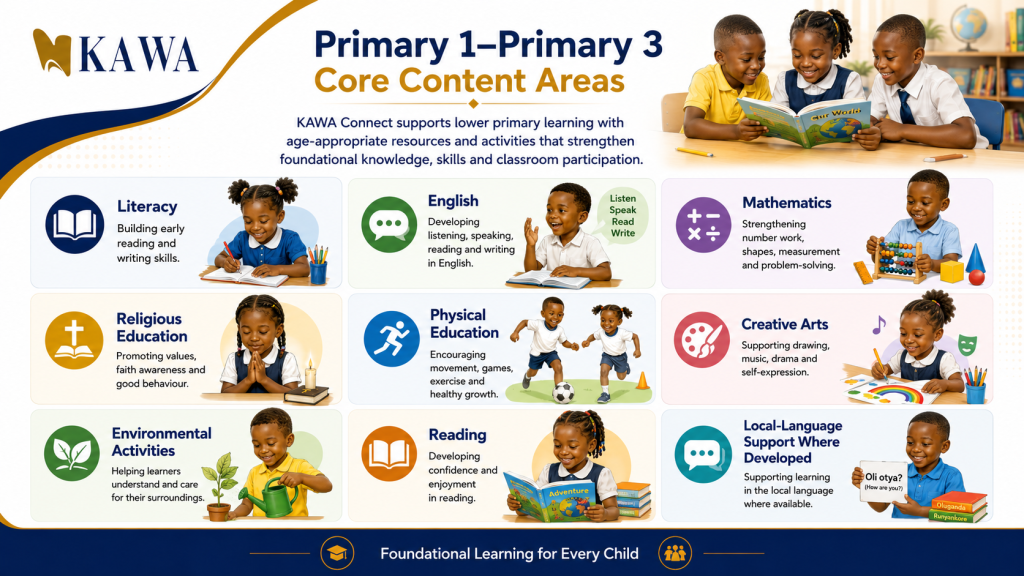
Primary Education

Primary 1–Primary 3

Primary 4–Primary 7

Lower Secondary Education

Advanced Level

Teacher Development

Possible resources include:

  • lesson planning;
  • digital-content integration;
  • classroom management;
  • assessment;
  • educational presentations;
  • online facilitation;
  • ICT skills;
  • responsible artificial intelligence;
  • and professional-learning recordings.

ICT Clubs and Special Interest

Possible categories include:

  • computer basics;
  • computer maintenance awareness;
  • web design;
  • programming;
  • multimedia production;
  • artificial intelligence;
  • robotics;
  • digital entrepreneurship;
  • cybersecurity;
  • online safety;
  • project development;
  • career guidance;
  • and national innovation opportunities.

10. How KAWA Connect Works

The website should present this as a simple six-stage process.

Step 1: School Enquiry

The school contacts KAWA and provides basic information about its learners, teachers, available devices, subjects and connectivity.

Step 2: Needs and Readiness Assessment

KAWA reviews:

  • education levels;
  • priority subjects;
  • number and condition of computers;
  • local-network capacity;
  • electricity;
  • teacher readiness;
  • internet availability;
  • and expected use.

Step 3: Recommended Deployment

KAWA proposes:

  • the appropriate content package;
  • delivery method;
  • equipment or storage requirements;
  • teacher orientation;
  • support arrangements;
  • and cost.

Step 4: Installation and Configuration

The approved content is:

  • installed;
  • arranged;
  • tested;
  • and made accessible through the agreed school system.

Step 5: Teacher and User Orientation

Teachers and selected school staff learn how to:

  • open the platform;
  • navigate content;
  • locate subjects;
  • use resources in lessons;
  • manage learner access;
  • report technical problems;
  • and provide feedback.

Step 6: Use, Follow-Up and Improvement

KAWA follows up to understand:

  • whether content is being used;
  • which subjects are most active;
  • what challenges have occurred;
  • what teachers and learners need;
  • and what content or technical improvements should follow.

11. Deployment Options

The final options presented on the website should reflect what KAWA can currently deliver.

Option 1: Local School Hotspot

Learners and teachers connect approved devices to a local wireless network within the school and access KAWA Connect without using public internet data.

Suitable for

  • computer laboratories;
  • tablets;
  • laptops;
  • and controlled mobile-device use.

Option 2: School Computer or Local Server

Content is hosted on a designated school computer or server and accessed through the local network.

Suitable for

  • larger laboratories;
  • multi-user access;
  • and schools with an existing local network.

Option 3: Individual Computer Installation

Selected content is installed directly on approved school computers.

Suitable for

  • small laboratories;
  • stand-alone computers;
  • and schools without a local network.

Option 4: USB or External Storage

Approved content is delivered through portable storage for controlled use on school devices.

Suitable for

  • content transfer;
  • backups;
  • and authorised updating.

Option 5: Memory Card

Selected content may be delivered through memory cards for compatible approved devices.

Suitable for

  • tablets;
  • selected phones;
  • and portable learning devices.

Option 6: Online Access

Where connectivity is sufficient, approved content may also be accessed through the online platform.

Suitable for

  • teachers;
  • connected schools;
  • remote support;
  • and access outside the local school network.

12. Offline Does Not Mean Isolated

Although KAWA Connect can work without continuous internet access, schools should not be cut off from updates, mentoring or wider opportunities.

KAWA may support schools through periodic updates, online teacher sessions, ICT Club communities, school visits and communication with responsible focal persons.

The platform’s value comes from combining:

  • offline accessibility;
  • organised content;
  • human support;
  • and opportunities for continued learning.

13. What a School Receives

Depending on the approved package, a school may receive:

  • KAWA Connect content;
  • platform installation;
  • configuration;
  • teacher orientation;
  • navigation guide;
  • school-user guidance;
  • technical-support contact;
  • content-update guidance;
  • implementation checklist;
  • selected teacher resources;
  • selected ICT Club resources;
  • and follow-up support.

The website must clearly distinguish:

  • what is included in every package;
  • what is optional;
  • what requires additional payment;
  • and what depends on a partnership.

14. What the School Must Provide

Leadership support

The headteacher or authorised administrator should approve and oversee implementation.

Responsible focal person

The school should identify a teacher or staff member who will coordinate KAWA Connect.

Functional equipment

The school should provide the agreed computers, server, router or compatible devices.

Electricity

A safe and reliable power arrangement is needed for the selected deployment method.

Appropriate space

The system should be installed in a secure and supervised location.

Teacher participation

Selected teachers should attend orientation and begin using the content.

Learner supervision

Learner access should follow school rules and safeguarding procedures.

Equipment care

The school should maintain:

  • cleanliness;
  • security;
  • safe power use;
  • and fault reporting.

Feedback

Teachers and school leaders should report:

  • technical challenges;
  • missing content;
  • corrections;
  • and implementation experience.

15. Teacher Use of KAWA Connect

Before the lesson

The teacher can:

  • identify the lesson objective;
  • locate the relevant topic;
  • select useful media;
  • prepare learner questions;
  • and decide how the content will support instruction.

During the lesson

The teacher may:

  • project a presentation;
  • play a short video;
  • display an illustration;
  • guide learners through a task;
  • allow supervised computer use;
  • and discuss local examples.

After the lesson

The teacher can:

  • provide an exercise;
  • guide revision;
  • assess understanding;
  • give a practical assignment;
  • and record feedback about the resource.

Highlight statement

KAWA Connect should support an active lesson—not turn the teacher or learners into passive viewers.

16. Learner Use of KAWA Connect

Learners should be guided to:

  • locate the correct class and subject;
  • follow teacher instructions;
  • use resources responsibly;
  • complete activities;
  • discuss ideas;
  • take notes;
  • ask questions;
  • and apply what they learn.

Learners should not:

  • change system settings;
  • delete content;
  • install unapproved software;
  • access another learner’s files;
  • share passwords;
  • or copy materials without observing applicable permissions.

17. School Leadership Dashboard

The website may present a proposed leadership-monitoring framework.

School leaders should be able to review:

  • teachers oriented;
  • subjects actively using the system;
  • lessons supported;
  • learner-access sessions;
  • technical problems;
  • equipment condition;
  • content requests;
  • and planned improvements.

Where an automated dashboard is not yet available, schools may use a simple monthly reporting form.

Recommended indicators

AreaIndicator
Teacher capacityTeachers oriented and actively using content
Subject coverageSubjects using KAWA Connect
Learner accessSupervised learner sessions
Content useLessons or resources accessed
TechnologyActive computers and system availability
SupportTechnical issues reported and resolved
FeedbackContent requests or corrections submitted

Do not advertise an automatic software feature unless it is currently available.

18. KAWA Connect and Computer Laboratory Sustainability

KAWA Connect creates more value when the computer laboratory is functional, secure and properly managed.

Schools should connect platform implementation with:

  • laboratory rules;
  • safe shutdown;
  • workstation numbering;
  • fault reporting;
  • equipment inventory;
  • password protection;
  • cleaning;
  • cable organisation;
  • data backups;
  • and supervised use.

Related button

Explore Computer Laboratory Sustainability

19. KAWA Connect and ICT Clubs

ICT Clubs can strengthen KAWA Connect implementation by:

  • helping learners locate resources;
  • producing digital content;
  • supporting peer learning;
  • reporting technical problems;
  • documenting usage;
  • developing projects based on lessons;
  • and promoting responsible technology use.

ICT Club members must work under school supervision and should not be given unsafe technical responsibilities.

Related button

Explore ICT Clubs Uganda

20. KAWA Connect and Inclusion

The programme should aim to support schools and learners with different needs.

Low-connectivity schools

Offline and local-network options reduce dependence on continuous internet.

Rural schools

Local installation can make digital resources more accessible where connectivity and teacher-resource access are limited.

Girls

Schools should encourage equal access, leadership and participation.

Learners with disabilities

Where available, content should consider:

  • readable text;
  • clear contrast;
  • audio;
  • captions;
  • keyboard navigation;
  • screen-reader compatibility;
  • and other accessibility features.

Different learner abilities

Teachers should use content for:

  • guided learning;
  • remediation;
  • revision;
  • and enrichment.

Do not claim full accessibility until the platform and content have been tested against recognised accessibility requirements.

21. Content Quality and Review

KAWA Connect content should pass through a clear process.

1. Curriculum review

Does the resource support an appropriate subject, topic or competence?

2. Subject review

Is the educational information accurate?

3. Language review

Is the language understandable and correct?

4. Visual review

Are diagrams, photographs and videos clear and relevant?

5. Rights review

Does KAWA have permission to use, adapt or distribute the material?

6. Safeguarding review

Does the content protect learners and avoid inappropriate material?

7. Technical review

Does the resource load properly on the intended devices?

8. User feedback

What do teachers and learners report after using it?

9. Revision

What needs to be corrected, updated or expanded?

22. Content Ownership and Copyright

The website should clearly explain that KAWA Connect contains different types of content.

These may include:

  • content developed by KAWA;
  • content developed by contracted or contributing teachers;
  • content produced with partners;
  • openly licensed resources;
  • public-domain resources;
  • and third-party materials used under permission or appropriate licence.

Schools and users should not assume that all content may be:

  • copied;
  • resold;
  • republished;
  • uploaded publicly;
  • or distributed outside the agreed use.

Suggested notice

KAWA Connect content is provided for authorised educational use. Copyright and licensing conditions may differ across resources. Users should not reproduce, sell or distribute content outside the approved school arrangement without written permission.

23. Data Protection and User Safety

KAWA Connect should collect only information needed for:

  • system access;
  • technical support;
  • content improvement;
  • usage monitoring;
  • and programme evaluation.

The website should explain:

  • what data is collected;
  • why it is collected;
  • who can access it;
  • how long it is retained;
  • and how users can ask questions or request correction.

Learner data should receive additional protection.

Do not collect unnecessary:

  • home addresses;
  • personal phone numbers;
  • medical information;
  • examination records;
  • or other sensitive information.

24. Support and Maintenance

School focal support

Each school should identify an authorised person who communicates technical or content concerns.

KAWA support

Depending on the package, support may include:

  • telephone support;
  • WhatsApp support;
  • remote guidance;
  • scheduled updates;
  • school visits;
  • replacement of corrupted content;
  • teacher consultation;
  • and troubleshooting.

Issues the school should report

  • system not opening;
  • missing content;
  • broken links;
  • incorrect subject placement;
  • inaccurate educational information;
  • storage failure;
  • network access problems;
  • and unauthorised changes.

Issues outside KAWA Connect support

The website should clarify responsibility for:

  • damaged computers;
  • electrical faults;
  • broken monitors;
  • general school-network repairs;
  • viruses caused by unrelated software;
  • and equipment replacement.

These services may require separate technical assessment or payment.

25. Pricing Presentation

The website should not hide all pricing if KAWA has a stable approved model. At the same time, it should not publish outdated or unofficial figures.

Recommended approach

Display:

School packages are based on education level, content volume, deployment method, number of devices, installation requirements and support period.

Main button

Request a School Quotation

Possible pricing cards

Only use these after leadership approval.

Essential Package

Suitable for:

  • a small school;
  • limited devices;
  • selected education levels or subjects;
  • and basic orientation.

Possible inclusions:

  • selected content package;
  • local installation;
  • user guide;
  • orientation;
  • and limited support.

Standard School Package

Suitable for:

  • a functioning computer laboratory;
  • several subjects;
  • teacher orientation;
  • and continued school support.

Possible inclusions:

  • wider content library;
  • local-network access;
  • teacher training;
  • ICT Club resources;
  • implementation tools;
  • and scheduled updates.

Whole-School Package

Suitable for:

  • several education levels;
  • multiple subjects;
  • larger laboratories;
  • school leadership support;
  • and extended monitoring.

Possible inclusions:

  • full approved content package;
  • server or hotspot configuration;
  • teacher-development sessions;
  • laboratory-sustainability support;
  • ICT Club integration;
  • extended updates;
  • and follow-up.

Partnership Deployment

Suitable for:

  • groups of schools;
  • districts;
  • government programmes;
  • foundations;
  • and corporate social-investment programmes.

Possible inclusions:

  • school selection;
  • baseline assessment;
  • bulk deployment;
  • teacher training;
  • monitoring;
  • impact documentation;
  • and reporting.

27. Demonstration Section

See KAWA Connect Before You Decide

Schools should have an opportunity to understand the system, ask questions and assess its relevance before committing to installation.

A demonstration may show:

  • platform navigation;
  • education levels;
  • subject organisation;
  • sample lessons;
  • offline access;
  • video and presentation resources;
  • teacher use;
  • learner access;
  • and deployment options.

Demonstration formats

  • online demonstration;
  • KAWA office demonstration;
  • regional demonstration;
  • partner event;
  • school visit;
  • or pre-recorded video.

Buttons

Book an Online Demonstration

Request a School Visit

Watch the Three-Minute Overview

28. School Success Story Section

KAWA Connect in Practice

The page should feature at least one verified school case study.

Recommended story structure

From an Underused Laboratory to a Digital-Learning Resource

The challenge

The school had computers but teachers lacked an organised collection of curriculum-supporting digital resources.

KAWA’s support

KAWA assessed the school’s needs, installed approved KAWA Connect content and oriented teachers in navigation and lesson use.

School application

Teachers began selecting resources for lesson preparation and scheduled supervised learner sessions in the laboratory.

Evidence

Display verified information such as:

  • teachers oriented;
  • subjects using content;
  • lessons supported;
  • learners accessing the platform;
  • and technical issues addressed.

Teacher voice

Include a genuine quotation explaining how the teacher used a specific resource.

Learner voice

Include a genuine quotation explaining what the learner understood or practised.

Next step

Explain what the school and KAWA plan to improve.

Buttons

Read the Full Case Study

Watch the School Video

29. Testimonials

Use only real and approved quotations.

Headteacher

“KAWA Connect has helped us organise educational content and increase the usefulness of our computer laboratory across several subjects.”

Teacher

“Instead of spending time searching through unrelated websites, I can locate the class, subject and topic, then select the resource that supports my lesson.”

Learner

“The diagrams and videos help me see the process after the teacher has explained it.”

ICT Club Patron

“The club uses selected resources for peer learning and project development under teacher supervision.”

Every testimonial should include:

  • name;
  • role;
  • school;
  • district;
  • and permission status.

The book identifies real customer images, stories and testimonials as especially strong forms of social proof.

31. Frequently Asked Questions

What is KAWA Connect?

KAWA Connect is a digital-learning content system developed to help schools, teachers and learners access organised educational resources through online, offline and local-network methods.

Does it require internet?

Not for all uses. KAWA Connect can be deployed locally so that approved content is accessible without continuous internet. Internet may still be used for communication, updates and selected online services.

Does KAWA Connect provide computers?

KAWA Connect primarily provides digital content, installation, orientation and support. Computer or network equipment may be quoted separately or supplied through a specific partnership.

Which schools can use it?

KAWA Connect may support primary schools, secondary schools, teacher programmes and other approved education settings. The final content package depends on the users and school requirements.

Is it aligned to Uganda’s curriculum?

KAWA develops and organises content to support Ugandan teaching and learning. Each subject package should be reviewed and described accurately according to its current curriculum coverage.

Does it replace teachers?

No. KAWA Connect is designed to support teachers with content and teaching resources. Teachers remain responsible for instruction, learner guidance and assessment.

Can learners use it at home?

This depends on the school’s package, access arrangement, licensing and available devices. Some resources may be approved for home use while others remain within the school system.

Can it work on phones?

Some deployment options may support compatible phones or tablets. Device suitability should be confirmed during assessment.

Can it be installed in a school without a computer laboratory?

Possibly. KAWA can assess available laptops, tablets, projectors or other devices and recommend an appropriate option.

How is content updated?

Updates may be delivered online, during a school visit or through authorised storage media, depending on the deployment agreement.

What happens when equipment fails?

KAWA can help determine whether the problem relates to KAWA Connect, the local network or the school’s hardware. General equipment repair may require a separate technical service.

Is the platform free?

Pricing depends on the content package, deployment method, installation, equipment and support required. Some schools may access it through partner-supported programmes.

How can our school start?

Complete the school enquiry form or book a demonstration. KAWA will review your needs and recommend an appropriate package.

32. KAWA Connect Enquiry Form

Contact information

  • Full name
  • Position
  • School or institution
  • Telephone
  • WhatsApp
  • Email
  • District
  • Location

School information

  • Education level
  • Approximate learner enrolment
  • Number of teachers
  • Number of computers
  • Approximate number of functioning computers
  • Tablets or laptops available
  • Internet available: Yes/No
  • Local network available: Yes/No
  • Projector available: Yes/No

Content required

Checkboxes:

  • Early Childhood Development
  • Primary 1–3
  • Primary 4–7
  • Lower Secondary
  • Advanced Level
  • Teacher Development
  • ICT Clubs
  • Special Interest

Main school need

  • organised educational content;
  • offline learning;
  • greater laboratory use;
  • teacher support;
  • revision resources;
  • ICT Club resources;
  • or other.

Preferred deployment

  • local hotspot;
  • school server;
  • computer installation;
  • USB or external storage;
  • online;
  • unsure—please advise.

Request type

  • demonstration;
  • quotation;
  • school assessment;
  • installation;
  • partnership discussion;
  • technical support;
  • or content-development partnership.

Authority confirmation

I confirm that I am authorised to submit this enquiry or will involve the responsible school leader during the next stage.

33. Partner With KAWA Connect

Expand Digital-Learning Access

Government institutions, foundations, companies, universities and development organisations can work with KAWA to provide digital-learning content and teacher support to groups of schools.

Partnership opportunities

  • sponsor school installations;
  • support content development;
  • provide servers, routers or storage devices;
  • support teacher training;
  • sponsor subject packages;
  • support accessibility;
  • support rural-school deployment;
  • fund monitoring and evaluation;
  • support learning research;
  • and sponsor learner-access programmes.

What KAWA may provide

  • school mobilisation;
  • needs assessment;
  • content;
  • installation;
  • teacher orientation;
  • monitoring;
  • school follow-up;
  • success-story documentation;
  • and programme reporting.

B

KAWA Connect brings organised, curriculum-supporting digital content together with offline access, teacher preparation and school support so that existing technology can create greater educational value.